

Hot News
Our Athletes run 100km per hour!
TEN 'Incom Athletes' pounded the streets of Manchester in the name of charity last weekend, completi - Click to view the FULL article.
Ooh La La!
TWENTY years since the company was formed, Incom Business Systems celebrated its anniversary in styl - Click to view the FULL article.
A Doctor's Note
Not all notes from the Doctor mean bad news!! Incom recently received the attached letter from one - Click to view the FULL article.
A Hat trick for Incom
Incom Business Systems Ltd are delighted to have been selected as a Finalist for the 3rd time at the - Click to view the FULL article.
Keeping up our Standards
Incom Business Systems are delighted to announce our successful move from British Standard EN ISO900 - Click to view the FULL article.
Twenty Years at the Top
Incom Business Systems Ltd have been providing “Best of Breed” business communication solutions sinc - Click to view the FULL article.
Service with a Smile
Shaun Robinson who has been at Incom Business Systems for over 11 years has been promoted to Service - Click to view the FULL article.
Incom's Royal Connections!
Incom Business Systems are delighted to have provided a state of the art Panasonic KXTDA 600 Hotel T - Click to view the FULL article.
 

Saturday, 31 Jul 2010  
 
Changing Date & Time Home > Changing Date and Time > HiCom Office v1.0 or HiCom 112/118

HiCom Office v1.0 or HiCom 112 & 118

MUST BE DONE FROM EITHER OF THE FIRST TWO KEYPHONES ON THE SYSTEM. YOU MUST HAVE DISPLAY PHONES PLUGGED IN

1. With the handset down dial *95 and press the tick key
2. At system administrator menu dial 2
3. And press the tick Key
4. Dial the new time in HHMM format and then press the tick key
5. Press the speaker or release key to return to normal operation


  Incom Business Systems Ltd
Clarendon House, Clarendon Rd
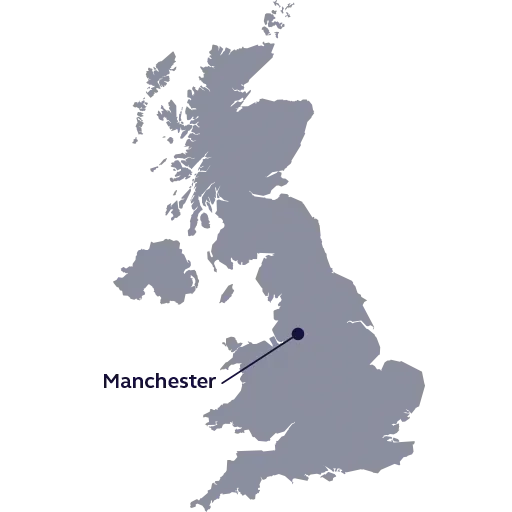
Manchester, M30 9AL
0161 876 5353
 
© 2008 :: Incom Business Systems Limited :: All Rights Reserved - Sitemap
 
Site Design and Hosting by Urchin Design Click to visit Urchin Design and Hosting